· Tools · 3 min read
Download Autoclicker for Windows Free
100% Free AutoClicker – Efficient Mouse Clicking Automation. Automate natural mouse movements with Bézier curves and professional precision.

100% Free Forever AutoClicker
Efficient Mouse Clicking Automation
Auto Click Bot is a powerful Python-based automation toolkit that records and replays mouse movements and keyboard actions with natural, human-like precision.
⬇ Download Free AutoClicker | Test our other Auto Clickers from our Git
What is AutoClicker?
AutoClicker is a professional automation recorder for Windows PC. Built with advanced real_drag technology, it creates natural, curved mouse movements from point A to point B, making your automated actions look human-like and smooth.
Whether you’re automating repetitive tasks, testing applications, or enhancing your gaming experience, it provides professional-grade tools in an easy-to-use interface.
Key Features
- ✅ Bézier Curve Technology - Smooth, non-linear cursor paths.
- ✅ Natural Playback - Advanced trajectory calculation from click A to click B.
- ✅ Full Input Support - Records mouse buttons, keyboard actions, and keystrokes.
- ✅ Lightweight & Fast - No ads, no limitations, 100% Open Source.
Screenshots
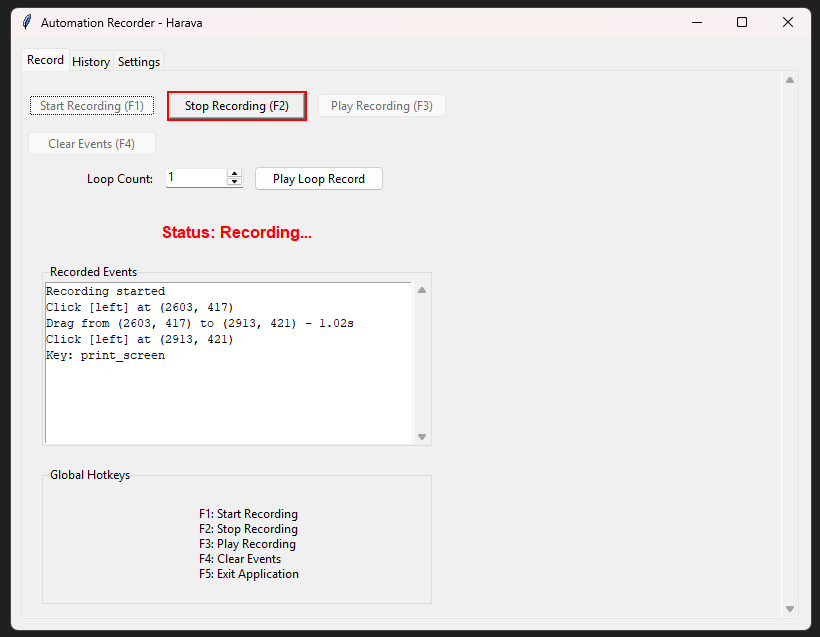
Record Mouse and Keybinds
Capture every mouse movement, click, and keyboard input with millisecond precision. The intuitive interface makes recording your automation sequences effortless.

Play Recorded Events
Replay your recorded actions with a single click. Our real_drag technology ensures the movement looks human, which is safer for gaming and testing.

Speed & Smoothness Control
Fine-tune playback speed and smoothness. Adjust settings to create natural-looking movements or speed up repetitive tasks to the maximum.
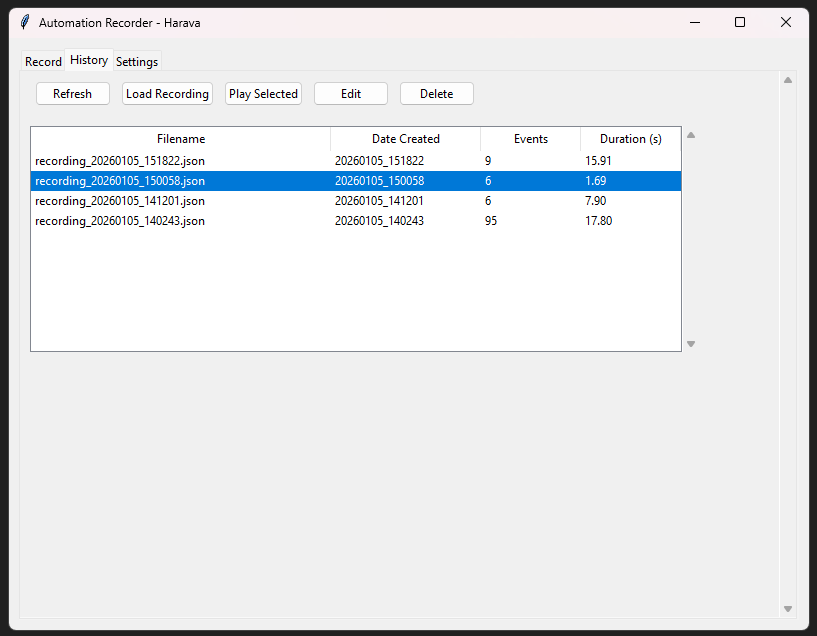
Save & Reuse
Store your automation sequences for future use. Build a library of automated workflows and loop them whenever needed for maximum efficiency.
Note: And much more! I update this program monthly, so stay tuned for new features!
Frequently Asked Questions
Is Autoclicker really free? Yes, it is 100% Free Forever. You can download it directly from nyxa.one at no cost. No ads, no limitations.
Do I need technical expertise? No, the tool is designed to be user-friendly. If you can use a Windows PC, you can use AutoClicker.
Where is the data stored? All your recordings and settings are stored locally on your own computer, ensuring total privacy.
Does it work on all platforms? Currently, AutoClicker is available for Windows and Linux.
Thank You for choosing Auto Click Bot!